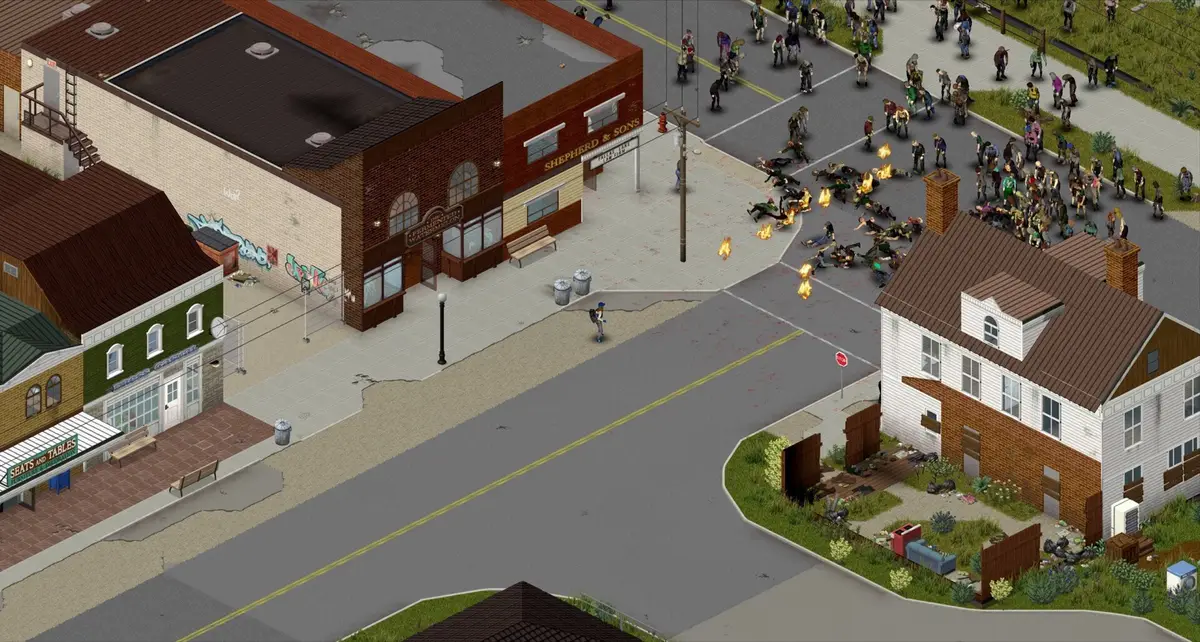
“How to fix lag when hosting multiplayer server?” comes back on a rolling basis — we count repeated variants of this thread every few months on the Steam forums — and the top comment is nearly always a grab-bag: check your zombie count, check your mods, check your RAM. All true, none ordered. If you don’t know which to check first, you end up re-testing the same three things across three different sessions because nothing tracked what you’d already ruled out.
Work through it once
Server lag checklist
0 / 6 checked-
The single most-reported lag cause in the threads. A population tuned for 1–2 players stresses badly with 6+, because pathing cost scales with active zombies, not with players.
-
Players scattered across the map each force their own loaded radius. A tight base-camp game and a spread-out game need very different settings here even at the same player count.
-
Defaults are tuned for singleplayer. A 6-hour-old dedicated server with loot respawn left on can be simulating far more than the map shows.
-
Binary-search removal (half, then half again) finds a bad mod in log2(n) tests instead of n. Skipping this step is why mod-caused lag reports take days to resolve on forums.
-
Rental hosts advertise total box RAM, not what is actually allocated to the Java process. Checking the allocation directly rules this out in one look.
-
Relevant mainly past 4–6 concurrent players. Below that this is rarely the bottleneck — check it after, not before, the items above.
Saved in your browser only (localStorage), tied to this device. Nothing is sent anywhere.
The order below is deliberate — it goes from “most commonly the actual cause” to “usually only matters at high player counts” — and your progress is saved in this browser so you can leave and come back mid-diagnosis.
Why this order, specifically
Zombie population and chunk cache come first because they scale with simulation load, which grows independently of how good your host is — a server on excellent hardware with population and cache settings tuned for two players will still lag at six, and no amount of RAM fixes that. Mod auditing comes before hardware checks because a single bad mod is a common, cheap-to-rule-out cause that hardware troubleshooting won’t find. Tick rate comes last because, per the threads that mention it, it’s rarely the actual bottleneck below four to six concurrent players — checking it first wastes a session on a low-probability cause.
The binary-search step, worth calling out on its own
“Half the mods” is not the same as “half of the mods, tested”. If you have twenty mods and suspect one is causing lag, remove ten, test, then remove or restore five of whichever half is still slow, and repeat. That’s roughly five tests to isolate one bad mod out of twenty, against up to nineteen tests if you remove them one at a time from the start. The forum threads that describe spending days isolating a mod are, almost without exception, describing the slow method.
What this checklist won’t tell you
It won’t give you a target zombie population number or a target RAM allocation, because both depend on your player count, your map coverage, and your mod list in ways a single number can’t capture honestly. What it gives you is the order to check things in and why — the numbers themselves are yours to set and observe.
Sources
- Server settings — PZwiki — confirms the sandbox and server config files (
servertest.ini,servertest_SandboxVars.lua) that actually hold zombie population and related simulation-load settings. - Lag with high amounts of zombies — Steam Community discussions — friction evidence that players connect zombie population directly to lag, matching this checklist’s ordering, but not a source for the exact check order itself.